How to delete your service
If you no longer need your cloud VPS or VDS, you can delete it in the Console. Any unused time will be refunded to your balance straight away.
If you decide that you no longer need your cloud VPS or VDS service, you can easily delete it via the Console. Any unused time that is left for your service will be immediately refunded to your account balance. However, if you want to keep the server until its pre-paid period concludes, then simply turn off auto-renew for it instead.
How to delete a VPS or VDS serverCopy link
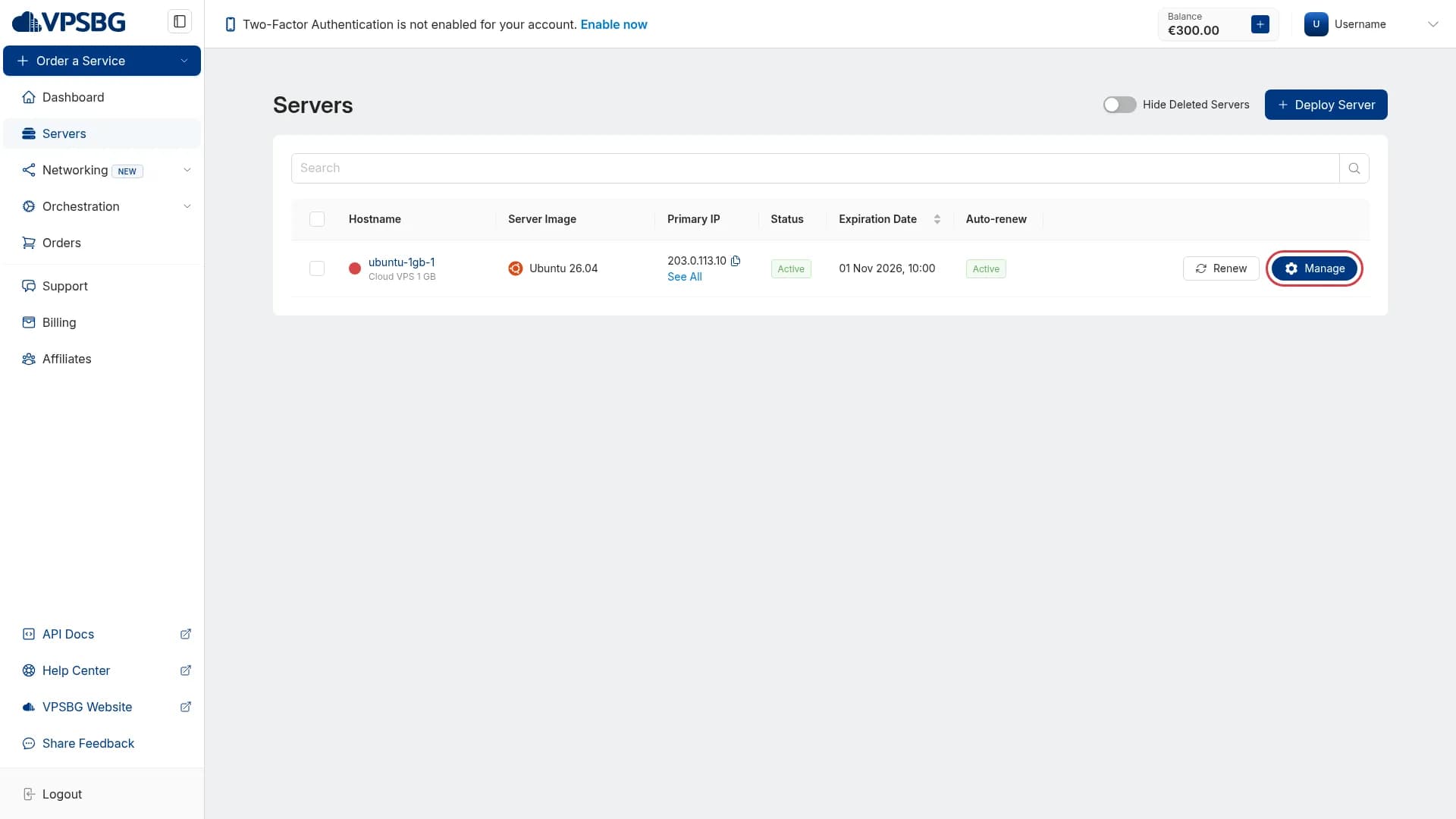
First, start by logging into the VPSBG Console and navigating to the Servers tab from the menu on the side. This is where all of your services reside including active, suspended and deleted servers. Next, select the service that you wish to delete and click on the ‘Manage’ button:
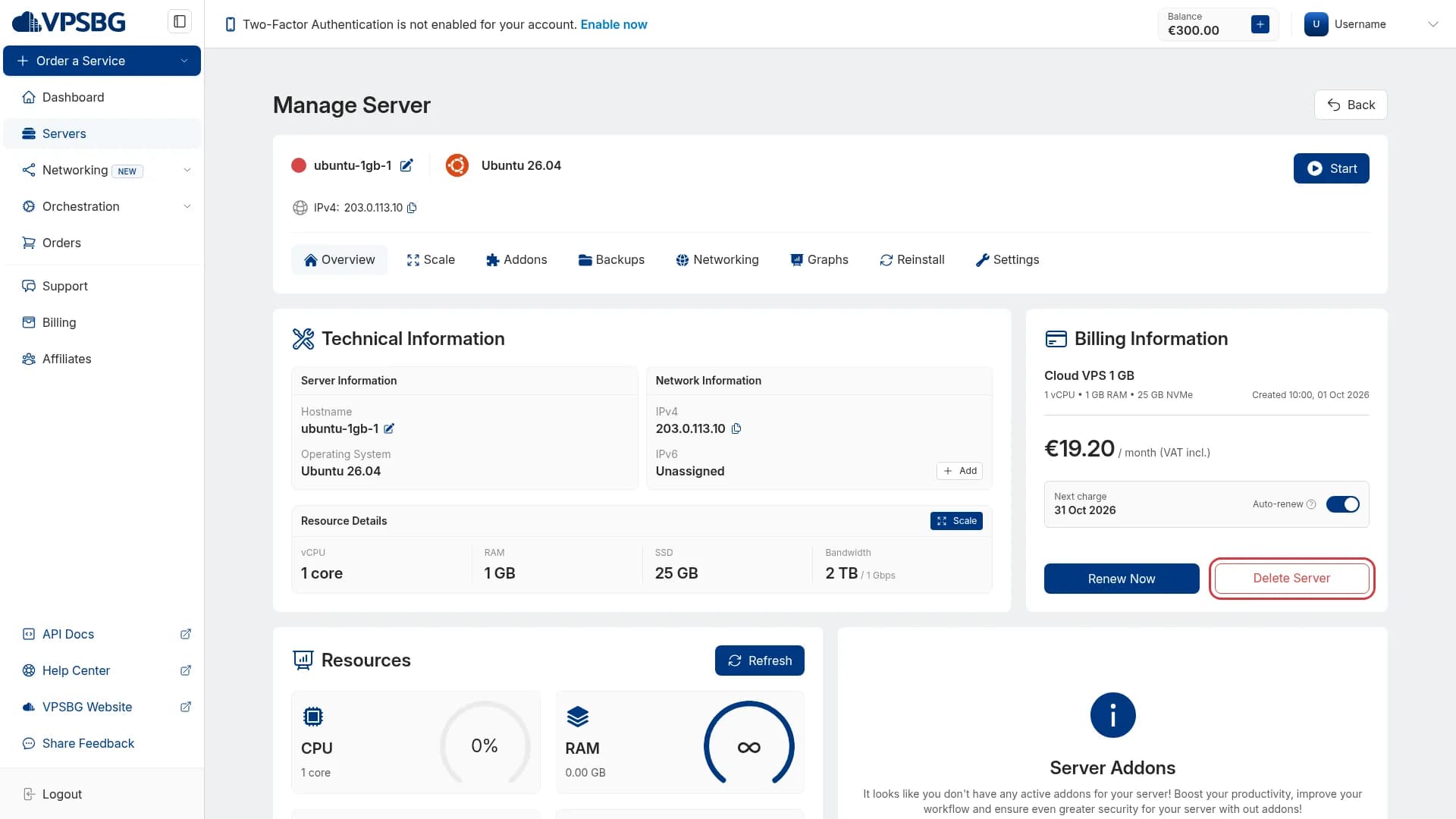
This will then take you to the 'Overview' section of the server management page. Next, locate the 'Billing Information' section. Then, click on the 'Delete Server' button:
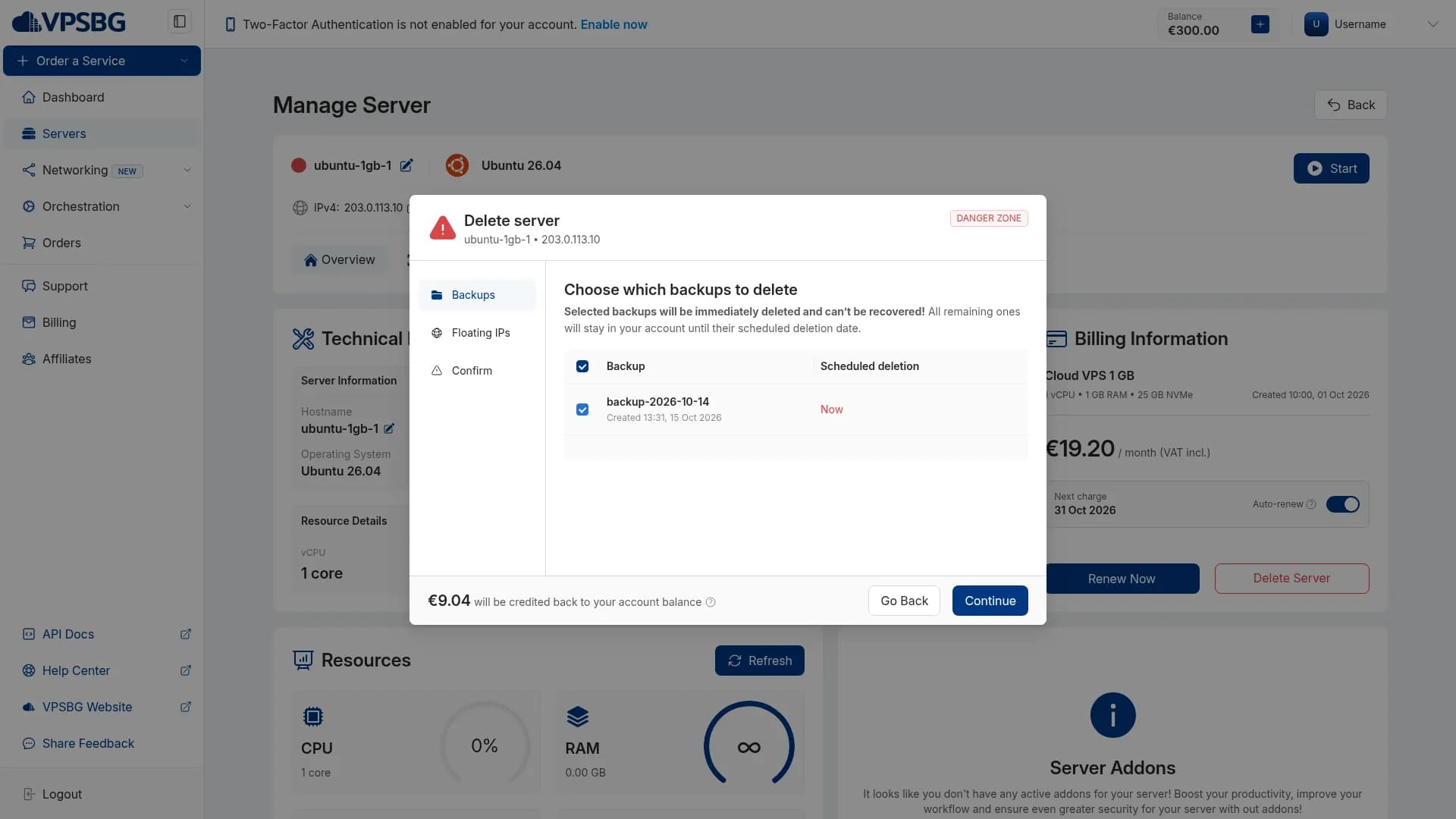
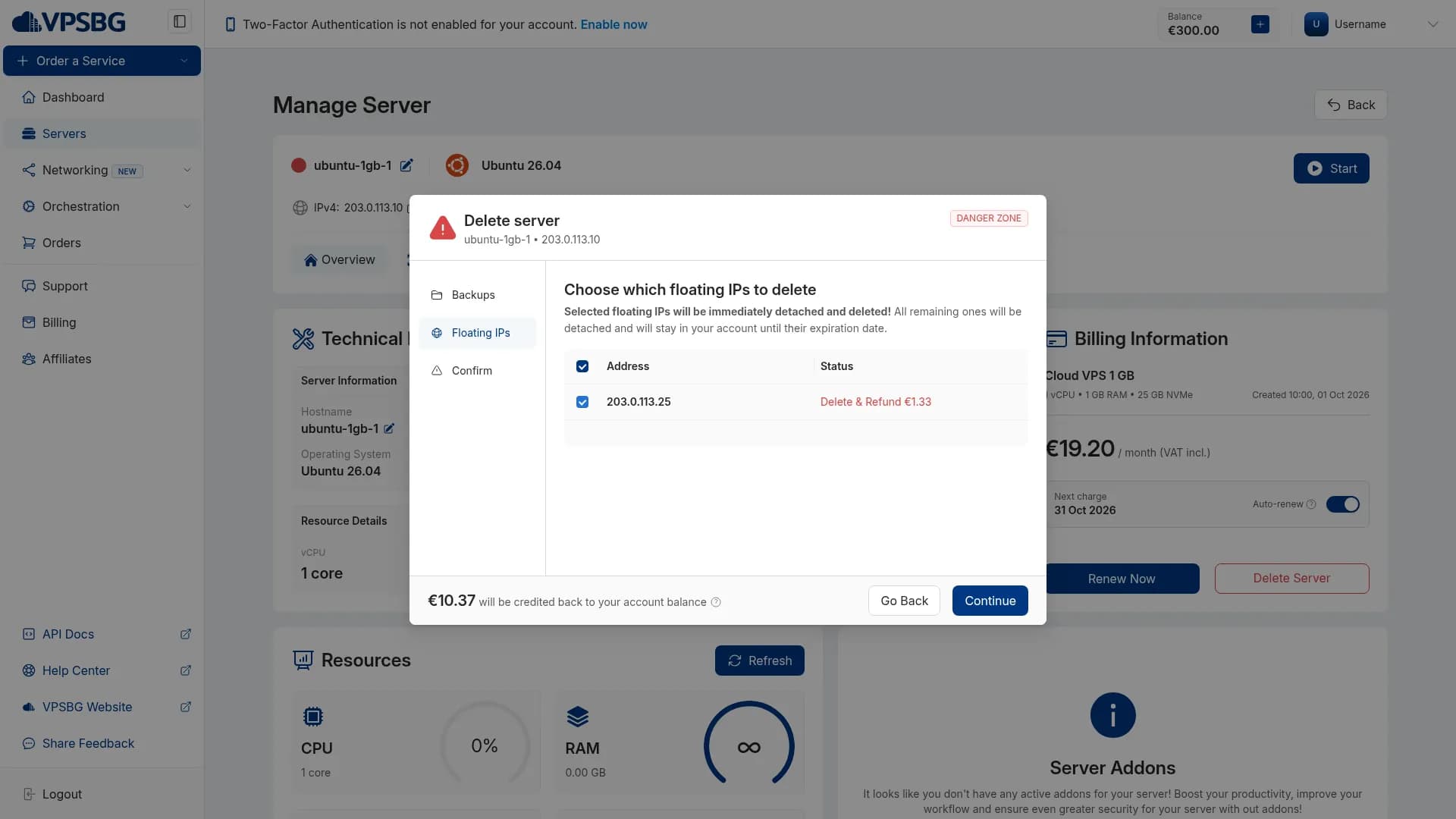
A window will appear with a number of options including any attached Floating IPs and any backups that you have made for this server. If you wish to also delete the attached floating IPs or any backups, simply select them with the checkboxes. Floating IPs that you don't select will simply detach from the server and remain active in your account. Backups that you don't select are kept until their expiration date and deleted afterwards, meaning that you can still restore them to another server. Finally, select a reason for your deletion, type the server's hostname for additional confirmation and click on 'Delete':
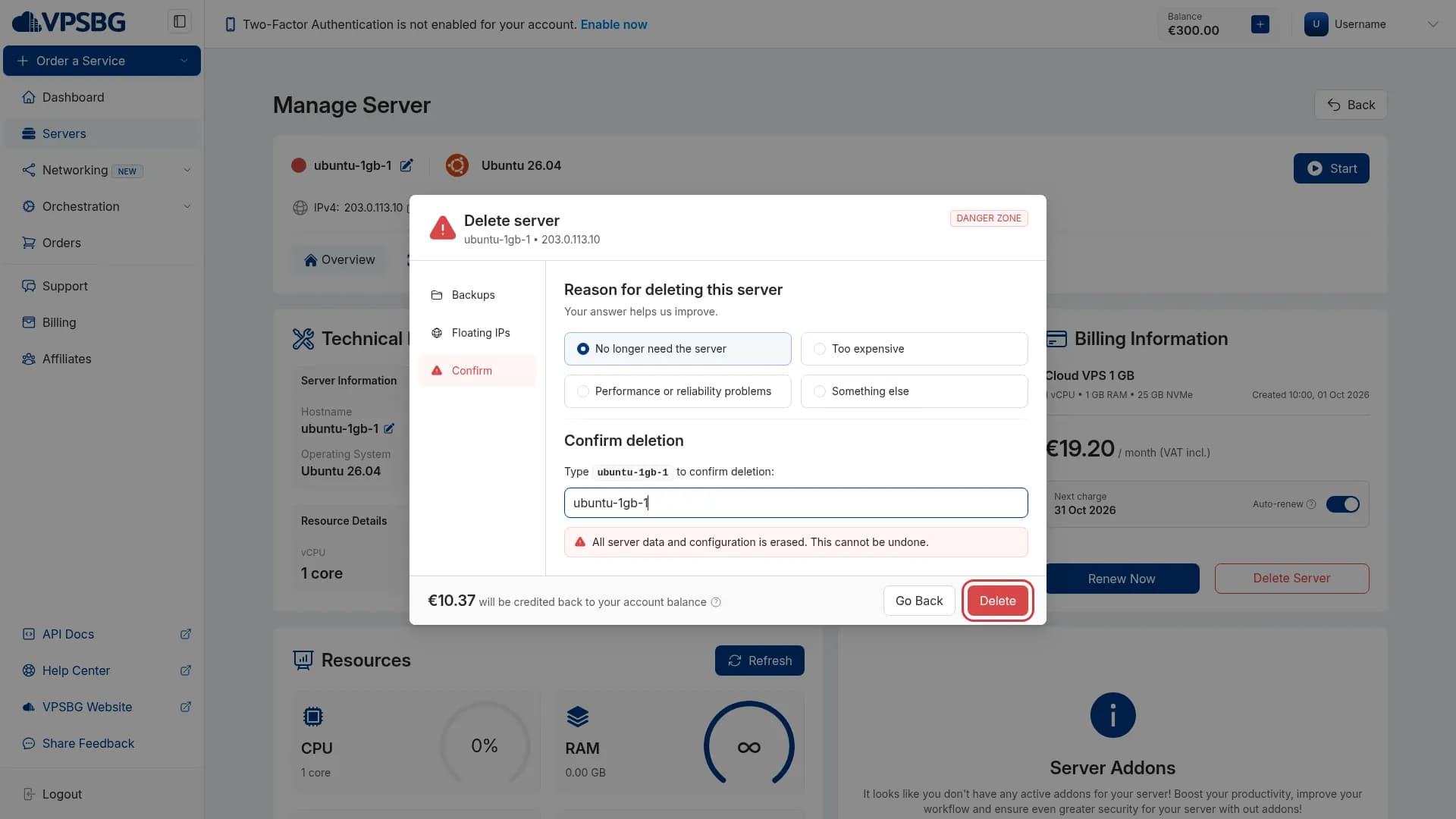
Deletion is permanent! It will begin as soon as you confirm. Data on the server cannot be recovered once deletion has been completed. Any unused time will be automatically refunded to your account balance. Also, if you have multiple active services, make sure you delete the correct one! Additionally, if you need more server resources, you can upgrade your hosting plan via the Scale tab instead.
You can also delete any of your services through the API.
If you encounter any issues while trying to delete your service, please do not hesitate to contact us!